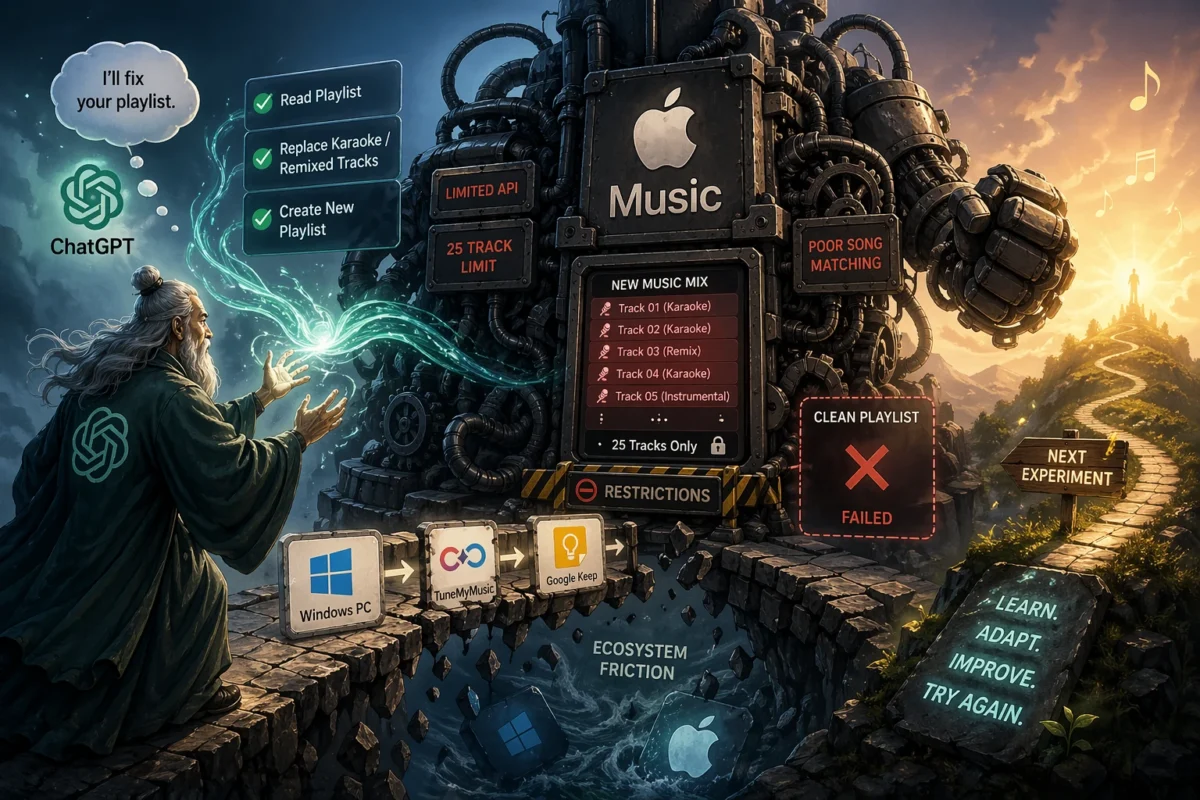
If you stream Chinese or Korean songs on Apple Music, you’ll probably know my pain.
Around the time I moved from Android to an iPhone in 2021, I also switched from Spotify to Apple Music. It was cheaper then, offered lossless audio and slotted neatly into the Apple ecosystem. Yet I still miss how well Spotify curated a New Music Mix and served it up every Friday. I love discovering new artists and genres while keeping up to date on the latest releases from my favourite artists – a list that grows week by week.
At least for me, Apple Music’s New Music Mix is a pain to use. That’s my opinion, of course, but it’s deeply frustrating. Imagine waiting a week, opening your 25‑song mix and finding that more than 20% of the tracks turns out to be karaoke versions with no lead vocal. Why on earth would I want to hear a “new” song without a voice and without lyrics?
Duh.
Are Team Apple Music aware of this? Or is the engine that powers Apple Music really that arcane and limited? I have some evidence for this later when I tried to match songs using the app, external sites and ChatGPT Plus.
Living with Apple’s New Music Mix
When technology lets us down we improvise. In my case I created a manual workaround. I copy the New Music Mix to a temporary playlist. For each karaoke or remixed track (common in Chinese EPs) I click into the album and add the main version to the temporary list, then delete the karaoke version. Rinse and repeat until the karaoke tracks are weeded out, and finally I can enjoy the mix.
(PS to myself: should I send this as feedback to Tim Cook before he steps down as CEO?)
A light‑bulb moment: could AI clean up my mix?
I recently subscribed to ChatGPT Plus. As I explored what my trusted AI can do I saw that it has an Apple Music connector. Suddenly the light bulb went on: what if I could ask my AI to clean up the weekly Apple playlist?
The request was simple. Read my temporary Apple Music playlist via the connector in ChatGPT Plus. Replace all karaoke, remixed or instrumental tracks with the main versions. Create a new playlist based on the cleaned‑up list.
Life, of course, isn’t that simple.
First hurdle: reading the playlist
ChatGPT Plus couldn’t read my Apple Music playlist, even when I set it to public. The connector only works in the iOS app – not on Windows 11 – so I needed an alternative. TuneMyMusic could extract my playlist, but it isn’t iPhone friendly. I couldn’t download the text version on iOS, so I resorted to using Windows, downloading the text file, copying it to Google Keep, switching to my iPhone and pasting the content into ChatGPT Plus.
Yes. Friction across different ecosystems.
Building an AI workflow – and hitting limits
Once I got the data into ChatGPT, cleaning up Apple Music’s messy mix was surprisingly satisfying. AI and I crafted a robust prompt, tested it across different playlists and produced impressive results. I was proud of our joint creation.
Except I couldn’t really use it.
Creating a playlist via ChatGPT Plus isn’t foolproof. Sometimes it still matches the wrong song; Apple Music stubbornly insists on using the more popular karaoke or remixed version, much as it does when you search in the app. Worse, the current integration only allows ChatGPT to add 25 tracks to a playlist at a time – I had to add the missing songs back manually. (Apple’s own Playlist Playground uses Apple Intelligence to generate 25‑song playlists, so perhaps the limit is a design choice.)
The resulting workflow
This is where things went slightly off the rails. What I ended up doing instead:
- Create a temporary playlist from the New Music Mix on my phone.
- On my PC, use TuneMyMusic to export it as a text file.
- Copy the content to Google Keep.
- On my iPhone, paste the ChatGPT prompt and connect to Apple Music.
- Open Google Keep and paste the track list into the AI task.
- Run the task – satisfying to watch AI do what Apple Music cannot.
- Click the button to create the playlist via AI.
- Add missing songs manually (because of the 25‑track limit).
- Manually fix any tracks Apple Music fails to match, even when AI feeds it the right information.
At this point, I realised I had built something more complicated than the original problem.
Lessons learned and what’s next
It was a satisfying experiment that showed what AI could do – and how it could make life better if only Apple’s service allowed it. In my view the failure comes down to three things: Apple Music’s restrictions on what connected AI can do; its inferior song‑matching capability; and an ecosystem that creates friction for hybrid users like me who use a PC.
Looking at the bright side, I learnt something: what AI still cannot do with Apple Music. My next experiment is to ask my trusted AI to analyse the algorithm shift when I moved from Spotify to Apple Music, feed it my 3.5k favourite tracks and rebalance my New Music playlist to suit me better.
Stay tuned for part two!